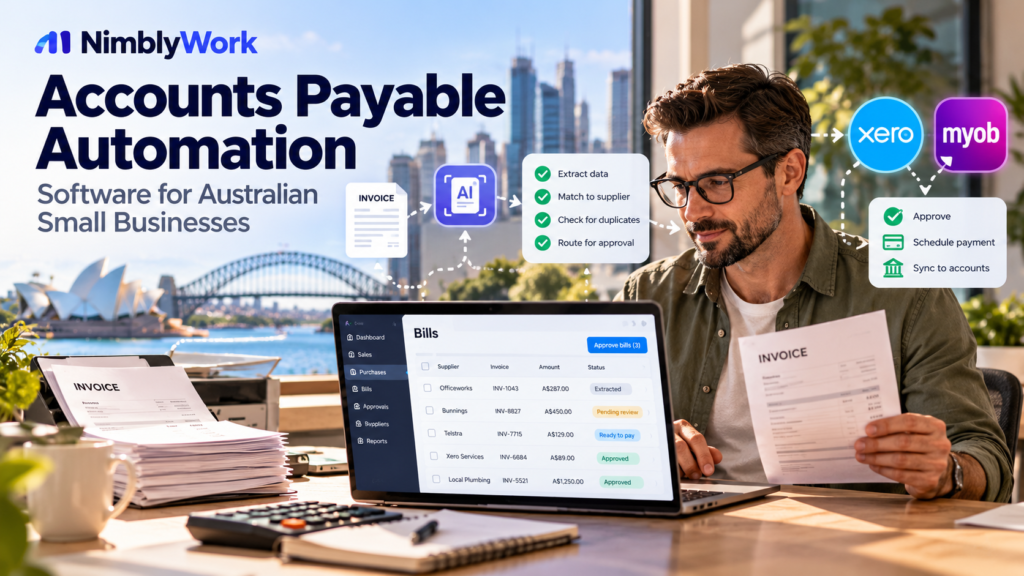
Accounts payable (AP) is the process of receiving supplier invoices, checking them, assigning accounting details, obtaining approval and recording or making payment. For a small business, this may involve an inbox, a spreadsheet and an accounting package. That can work at low volume, but becomes harder to manage as invoice numbers, approvers and exceptions increase.
AP automation software can help capture invoice data, route approvals and maintain a record of changes. It does not automatically mean that every invoice is correct, every payment is safe or a separate platform is necessary. Start by measuring the current process and checking the features already included in your accounting system.
Editorial note: This guide is based on desk research into public vendor documentation, not hands-on product testing. Features, plan availability and prices can change. This is general operational information, not accounting, tax, legal or cybersecurity advice.
What can accounts payable automation do?
A supplier invoice workflow may include:
- Receiving an invoice by email, upload or supplier portal.
- Extracting supplier, invoice number, date, tax, total and line-item data.
- Flagging missing fields or possible duplicates for review.
- Suggesting account, project or job codes.
- Routing the invoice to an authorised approver.
- Matching the invoice against a purchase order or goods receipt where relevant.
- Transferring approved data into accounting software.
- Preparing or initiating payment within the business’s existing controls.
- Reconciling the transaction and retaining a reviewable record.
Products cover different parts of this chain. Document capture is not the same as approval management, and neither is the same as payment execution. Compare the capabilities you actually need rather than relying on the broad label “AI automation”.
Check your existing accounting software first
If you use Xero
Xero’s Australian bill-management information describes bill capture by upload or email forwarding, extraction of key details into draft bills, roles and permissions, duplicate flags, due-date tracking, batch-payment options and reconciliation. Check the current plan and configuration for the exact features available to your business. Start with the official Xero guide to paying bills before adding another subscription.
For a business with routine supplier bills, a small number of approvers and limited purchase-order requirements, the built-in workflow may be enough. A separate platform is more worth investigating when the current setup cannot support a specific approval, matching, exception or reporting requirement.
If you use MYOB
MYOB’s documentation describes entering supplier bills and, in supported products, uploading supplier invoices to help prefill bill details. The exact experience varies by product and edition. See the official MYOB bill-entry guide.
For more complex workflows, MYOB’s app marketplace lists Dataline’s AP automation solution as working with MYOB AccountRight, MYOB Acumatica and MYOB EXO Business. Its listed functions include invoice digitisation, purchase-order and goods-receipt matching, approval workflows and exception management. Treat vendor statements as claims to verify during a demonstration, not as independent test results. Check compatibility with your exact MYOB product, hosting arrangement, data fields and support requirements on the MYOB marketplace listing for Dataline.
Compatibility rule: do not choose a tool based only on the MYOB or Xero brand name. Confirm the exact edition, integration direction, fields synchronised, error behaviour and any limitations that apply to your account.
How to compare AP automation tools
| Criterion | Questions to ask |
|---|---|
| Invoice capture | Can it accept PDFs, scans, photos and forwarded emails? |
| Data extraction | Which header and line-item fields are captured? Can uncertain values be checked by a person? |
| Duplicate handling | Which fields are compared? Can a suspected duplicate be reviewed before posting? |
| Coding | Can users suggest or correct tax, account, project and job codes? |
| Approvals | Can rules depend on amount, team, project or role? Are substitutes supported? |
| Purchase orders | Is two-way or three-way matching available if the business needs it? |
| Exceptions | What happens when a purchase order is missing, totals differ or a supplier is unknown? |
| Integration | Does it support the exact accounting edition, required fields and direction of synchronisation? |
| Payment controls | Does it capture data, prepare a bill, route approval or initiate payment? |
| Audit trail | Can the business review the source document, edits, approvals and timestamps? |
| Access and security | Who can see supplier and bank details? Can access be restricted and revoked? |
| Total cost | What are the subscription, invoice-volume, user, setup, support, add-on, currency and tax costs? |
Ask vendors to demonstrate a representative invoice, a poor scan, a possible duplicate, an incorrect total and a missing purchase order. A polished demonstration of a clean invoice is not enough. Confirm how exceptions are surfaced and who is responsible for resolving them.
Options to investigate — not a product ranking
1. Your current Xero bill workflow
Investigate this first if the business already uses Xero and mainly needs invoice capture, tracking and routine bill handling. Confirm the current plan features, permissions and payment process before evaluating add-ons.
2. MYOB-compatible capture or approval tools
If the business uses a supported MYOB product, investigate the relevant marketplace integrations. Dataline is one option listed for AccountRight, Acumatica and EXO Business. Ask the provider to confirm your exact edition, setup and workflow requirements in writing.
3. A dedicated AP workflow platform
Consider a specialist platform when purchase-order matching, multi-level approvals, multiple entities or exception queues create a clearly defined gap. Request a demonstration using anonymised examples from your process and ask what remains manual.
This is a research shortlist, not an endorsement. No product has been hands-on tested for this article, and no current vendor price is quoted because total cost can depend on plan, invoice volume, users, implementation and configuration.
Estimate the business case before buying
Record a baseline for a representative period:
- Number of supplier invoices received.
- Average staff minutes spent per invoice.
- Time spent chasing approvals.
- Number of invoices requiring correction or re-entry.
- Duplicate or late-payment incidents, where tracked.
- Time spent answering supplier queries.
- Current software, bookkeeping and processing costs.
Then estimate the future process, including time spent reviewing extracted data, resolving exceptions and maintaining the integration.
Illustrative formula: monthly hours potentially released = monthly invoices × (minutes per invoice before − minutes per invoice after) ÷ 60.
This is not a guaranteed saving. Subtract subscription and implementation costs, and remember that time released becomes a financial benefit only if the business can use that capacity productively. Test the assumptions in a limited pilot before committing to a long contract.
Keep payment controls separate from data capture
Automation should not weaken financial controls. In particular:
- Require approval according to the business’s authority limits.
- Independently verify supplier bank-detail changes using a trusted, previously established channel.
- Do not approve a payment solely because extracted data looks plausible.
- Flag mismatched supplier, purchase-order, amount or bank details for human review.
- Limit who can change supplier records, approval rules and payment settings.
- Keep a reviewable record of approvals and changes.
- Define a manual fallback for integration failures or incomplete records.
No automation tool can guarantee that fraud will be prevented. The business still needs clear responsibility, access controls and independent checks. Consider the sensitivity of supplier and bank data when assessing vendor access, retention and security documentation.
A practical four-week pilot
- Week 1 — Measure and map. Document how invoices arrive, who checks them, where data is entered and where delays occur.
- Week 2 — Check existing features. Test the capabilities already available in the accounting system and list specific gaps.
- Week 3 — Shortlist and test. Choose one or two candidates. Use anonymised sample invoices, including exceptions. Verify permissions, integration scope and error handling.
- Week 4 — Review results. Compare time per invoice, exception rate, corrections, approval time and total cost with the baseline. Expand only if the pilot meets criteria agreed in advance.
Frequently asked questions
Is AP automation worth it for a small business?
It depends on invoice volume, process complexity, correction costs and the software already in place. Measure the current process first; low-volume businesses may not need a separate platform.
Do I need a separate AP platform if I use Xero?
Not necessarily. Check the features available in your current plan first. Add a separate tool only if it solves a defined gap, such as more complex approvals or purchase-order matching.
Can AI invoice extraction eliminate manual review?
Do not assume so. Unusual invoices, poor scans, missing purchase orders and incorrect coding may need review. Decide in advance which cases must be checked by a person.
Does AP automation prevent fraud?
No tool can guarantee that. Automation may improve consistency and record keeping, but independent verification, appropriate permissions and approval controls remain necessary.
Should payment itself be automated?
Payment initiation is more sensitive than capturing data or routing approvals. Confirm authorisations, independent checks, access restrictions and recovery procedures before enabling payment-related functions.
Related NimblyWork guides
- Best CRM for a Small Business in Australia: 3 Options to Shortlist
- How to Automate Customer Enquiries for a Small Business
- Best Quote Follow-Up Tools for Australian Fencing Businesses
Editorial note: This is general operational guidance, not a legal or accounting compliance determination. Check the obligations and controls that apply to your business. No affiliate links are included; consider adding them only after publisher eligibility and a viable payout route to Ukraine are confirmed.